
Turn Your Xero Data Into a Clear Financial Dashboard
Connect Xero to Vizii and explore your financial data through interactive dashboards with flexible date ranges, account-level breakdowns and Budget vs Actual views. Share only the information each stakeholder needs through controlled, read-only access.
One-click Xero sync | No exports or uploads | No Xero login required for invited viewers
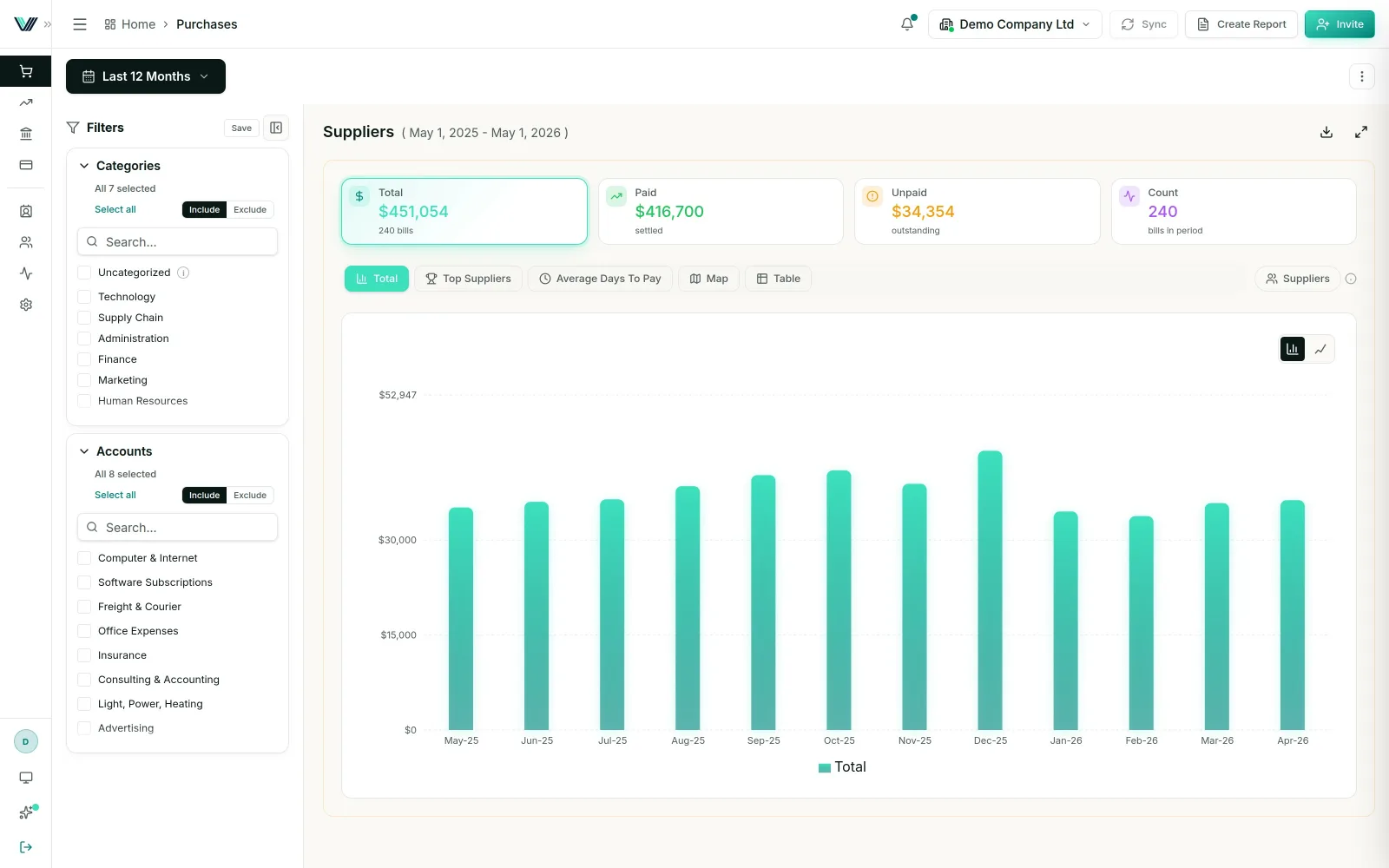
Connect Xero Once. Refresh Your Dashboards Whenever You Need.
Vizii connects directly to Xero and prepares your financial data for interactive analysis — without recurring exports, spreadsheet updates or manual uploads.
Connect Xero
Authorise the secure connection between your Xero organisation and Vizii.
Complete the initial sync
After connecting Xero, select Sync to pull the available data into Vizii. Use Sync again whenever you need the latest available transactions.
Sync when you need to
Sync the latest Xero data with one click — no exports or uploads.
Explore and share
Analyse financial performance, compare Budget vs Actual results and give each stakeholder controlled, read-only access to the information relevant to them.
Direct Xero connection | One-click sync | No recurring manual uploads
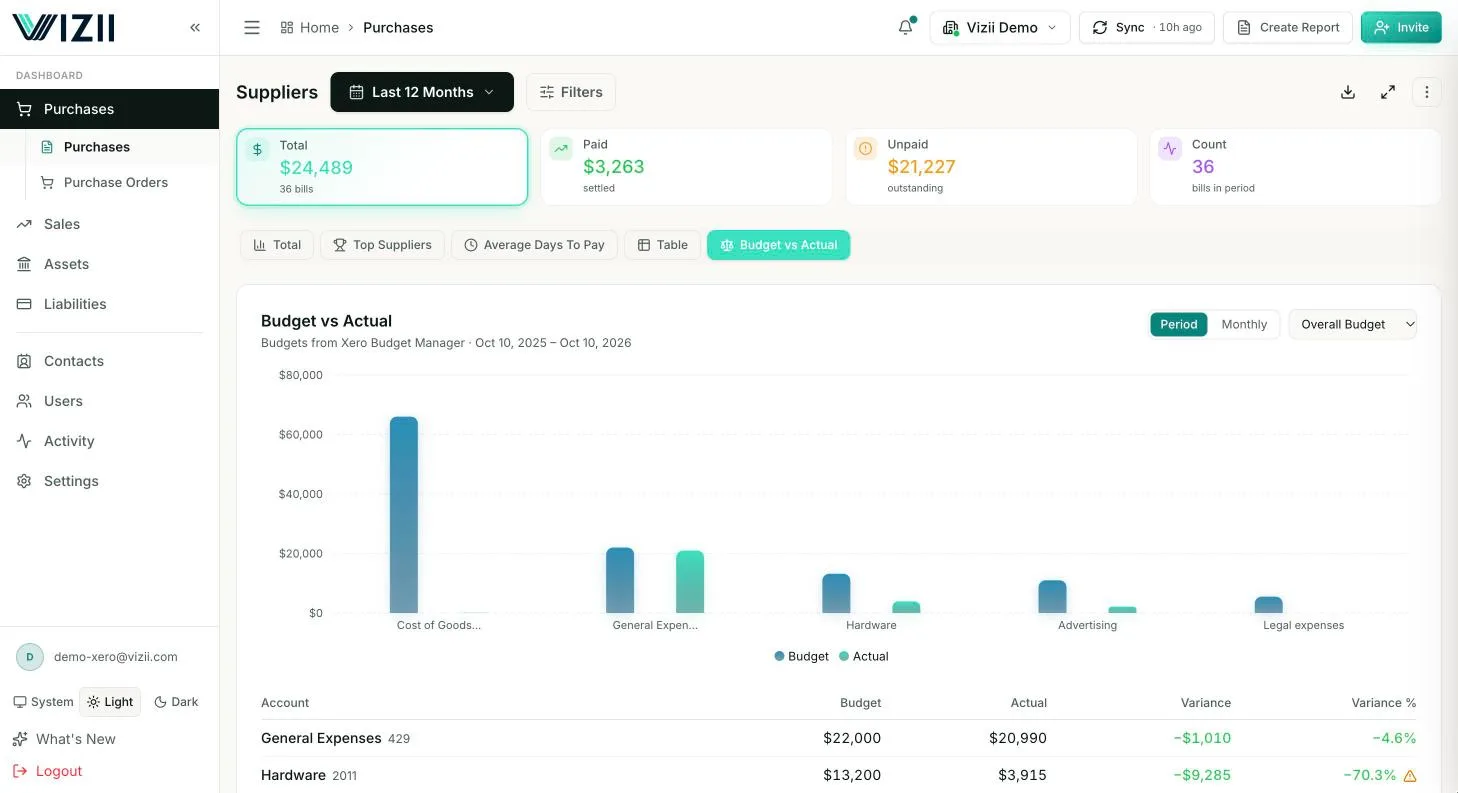
Compare Xero Budgets With Actual Performance — Down to the Account Level
Move beyond headline totals and see how actual Purchases and Sales compare with your Xero budgets across the reporting period that matters to your team.
Review the right period
Analyse Budget vs Actual performance across the last 30 days, last 3, 6 or 12 months, last quarter, this year, last year, or a custom date range.
Examine account-level results
Break results down by Xero account code to identify which income or expense categories are driving the variance.
Investigate performance changes
Use interactive filters and drill-downs to move from a high-level variance to the underlying financial detail.
Give managers relevant visibility
Grant selected team members read-only access to the accounts relevant to their responsibilities — without exposing the complete company financials.
Move From Financial Totals to the Details Behind Them
Vizii helps finance leaders investigate Xero data without repeatedly exporting reports or rebuilding spreadsheets. Start with a clear financial overview, then filter and drill down to understand what changed and why.
Filter by reporting period
Review financial performance across the last 30 days, last 3, 6 or 12 months, last quarter, this year, last year, or a custom date range.
Analyse by account
Break down financial results by Xero account code to identify the categories influencing income, expenses and overall performance.
Explore customers and suppliers
Examine relevant financial activity by customer or supplier to understand the contacts behind key results.
Use tracking categories when relevant
Filter and analyse data using existing Xero tracking categories without making them the only method of organising or controlling access.
Export to Excel when needed
Export relevant data to Excel for additional analysis, documentation or offline workflows.
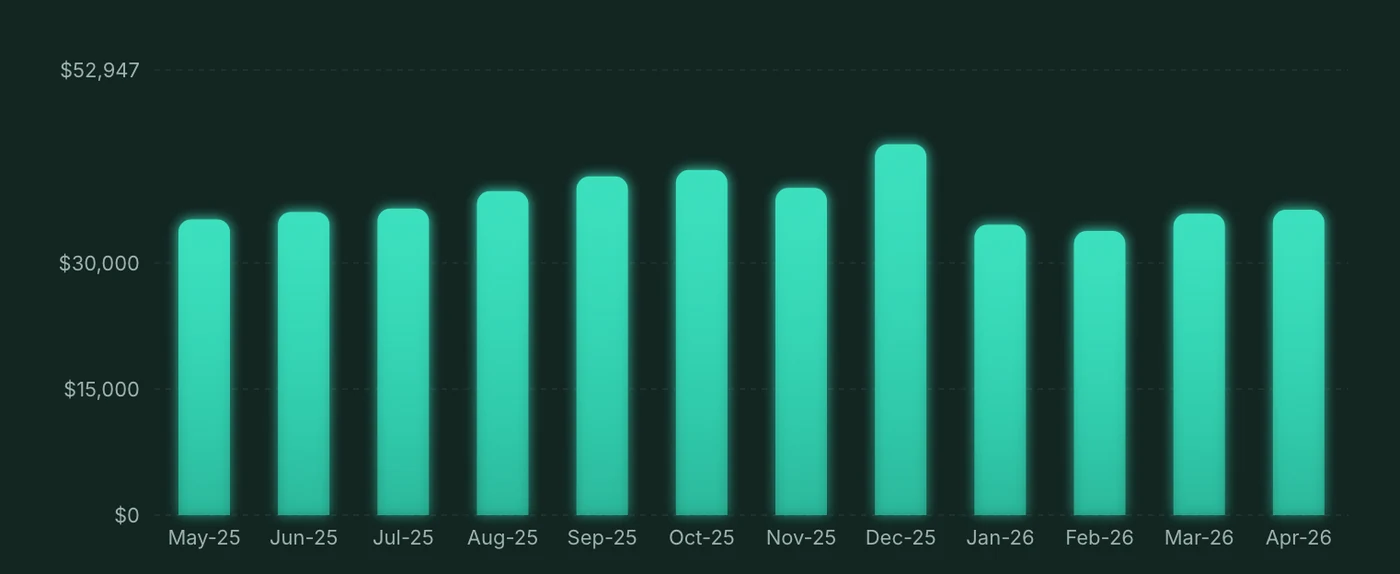
Give Each Stakeholder the Financial Visibility They Need — And Nothing More
Share relevant Xero financial information with managers, employees and other stakeholders without giving them access to Xero or exposing the complete company dashboard.
Control access by account
Allow each person to view only the income or expense accounts connected to their responsibilities.
Scope views by tracking category
Use Xero tracking categories to provide relevant views when they match the way your organisation structures its financial data.
Restrict by customer or supplier
Limit access to financial information associated with selected customers or suppliers.
Keep every shared view read-only
Recipients can explore their assigned dashboard view without changing the underlying data in Xero.
Secure passwordless access
Each invited recipient verifies their email through a one-time magic link — without creating a password or needing a Xero login.
Email-verified access | Scoped permissions | Read-only visibility | No Xero login required
A Xero Dashboard for Finance Teams and the People Who Depend on Their Data
Vizii helps organisations using Xero turn accounting data into clearer decisions while finance remains in control of what every person can access.
CFOs and finance leaders
Monitor current performance, investigate material changes and provide decision-makers with consistent financial visibility.
Finance operations teams
Reduce recurring exports and spreadsheet preparation by working from Xero dashboards you refresh in one click.
Accountants and bookkeepers
Analyse financial data faster and share understandable, read-only views with clients or internal stakeholders.
Business owners and directors
Understand the numbers that matter without navigating complex accounting reports or financial terminology.
Department and budget managers
Review only the budgets, actuals and expense accounts connected to their responsibilities — without accessing the complete company financials.
Keep Xero as Your Source of Truth — Make Its Data Easier to Explore and Share
Vizii does not replace Xero. It adds a clear, controlled layer for analysing financial performance and sharing relevant information with the people who need it.
| Working directly from | Limitation | What Vizii adds |
|---|---|---|
| Static exports | Reports become outdated when new transactions are posted | Dashboard views you refresh in one click |
| Spreadsheets | Repeated preparation and multiple file versions | One consistent view of your financial data |
| Full Xero access | Can reveal more financial information than a role requires | Scoped, read-only stakeholder access |
| Standard accounting reports | May be difficult for non-accountants to interpret | Clear charts, filters and drill-downs |
| Manual budget reviews | Requires repeated report preparation | Switchable Budget vs Actual views |
Your accounting stays in Xero. Vizii makes the right financial information easier for every decision-maker to use.
Questions About Connecting Xero to Vizii
Yes. Vizii connects directly to Xero. After connecting, select Sync to pull the available financial data into Vizii.
Users select Sync whenever they want to pull the latest available Xero data into Vizii. No file upload is required.
Yes. Budget vs Actual is available for Purchases and Sales, with account-code-level breakdowns and flexible reporting periods.
You can review financial data by last 30 days, last 3, 6 or 12 months, last quarter, this year, last year, or a custom date range.
Yes. Dashboard access can be restricted by account without requiring tracking categories. Access can also be scoped by tracking category, customer or supplier.
No. Invited recipients verify their email through a passwordless magic link and receive read-only access to their assigned dashboard view.
No. Shared access is read-only and does not allow recipients to edit the underlying Xero data.
Yes. Relevant financial data can be exported to Excel when additional offline analysis or documentation is needed.
No. Xero remains the accounting system and source of financial data. Vizii provides an additional layer for visual analysis and controlled stakeholder sharing.
Turn Your Xero Data Into Clearer Decisions and Controlled Financial Visibility
Connect Xero to Vizii to explore your financial data in interactive dashboards, compare Budget vs Actual performance and securely share only the information each stakeholder needs.
No credit card required | One-click Xero sync | No exports or uploads | No Xero login required for invited viewers